Configure oblak tor bridge
If you live in a region where (some) access to the internet is blocked or heavily censored, you should consider using the Tor network. We support the network by running Tor bridges.
Once you are connected you can visit oblak using the onion address. You can also access normal urls with the Tor Browser.
oblak onion address: http://onbf75tfdrj6mxhbkjwszydbdp6xjwdqelejcgwtu3y6tlwpn7nykjyd.onion
Configure the Tor Browser
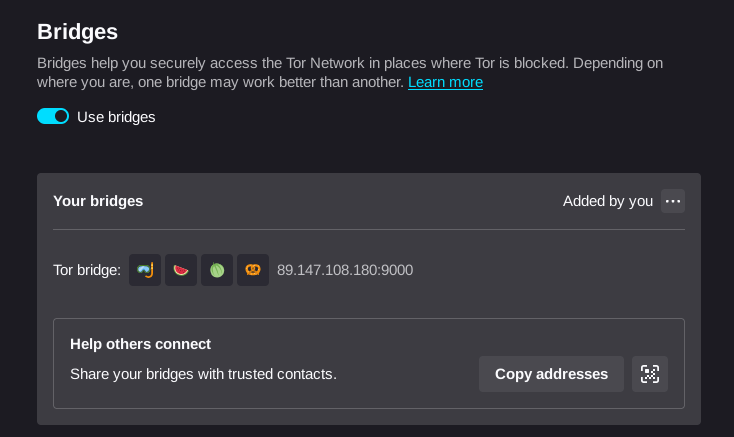
You can make use of our Tor bridge by adding its address to your Tor browser configuration.
- Download the Tor browser from the official website.
- When you open the browser, go to about:preferences#connection, to configure the Bridges.
- Look for the button Add new bridges...
- In the field Brigde addresses paste one or both our Bridge addresses from the table below
- Click next and then click connect
- The Tor browser will establish the connection, happy surfing!
| Bridge address |
|---|
| 89.147.108.180:9000 |
| 93.95.231.108:9000 |